
Dickson and Associates Boring and Well Log
Grapher Template by Golden Software
232
267
Dickson and Associates Boring and Well Log
(Template by Golden Software).grt
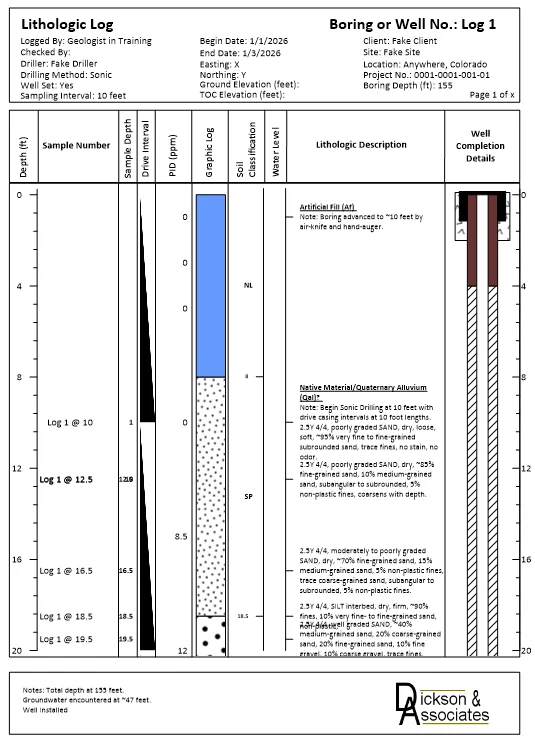
This boring and well log template was developed by W. Zachary Dickson of Dickson & Associates, LLC, Castle Rock, Colorado. It is designed to bring a significant level of automation to the creation of single and multi-page boring and well logs while also addressing the complexity and variability associated with boring and well log data.
The template includes a full borehole log, integrating lithology, descriptive soil layers, field measurements, and well construction details – all aligned by depth. It provides a clear and practical way to visualize subsurface conditions and installation design, making it especially useful for geotechnical, environmental, and hydrogeologic investigations.
The main log displays lithologic units with patterns fills and associated descriptions, while the right side includes a well construction diagram showing casing, screen, grout, and seal materials. Together, these elements empower users to relate construction details directly to subsurface conditions.
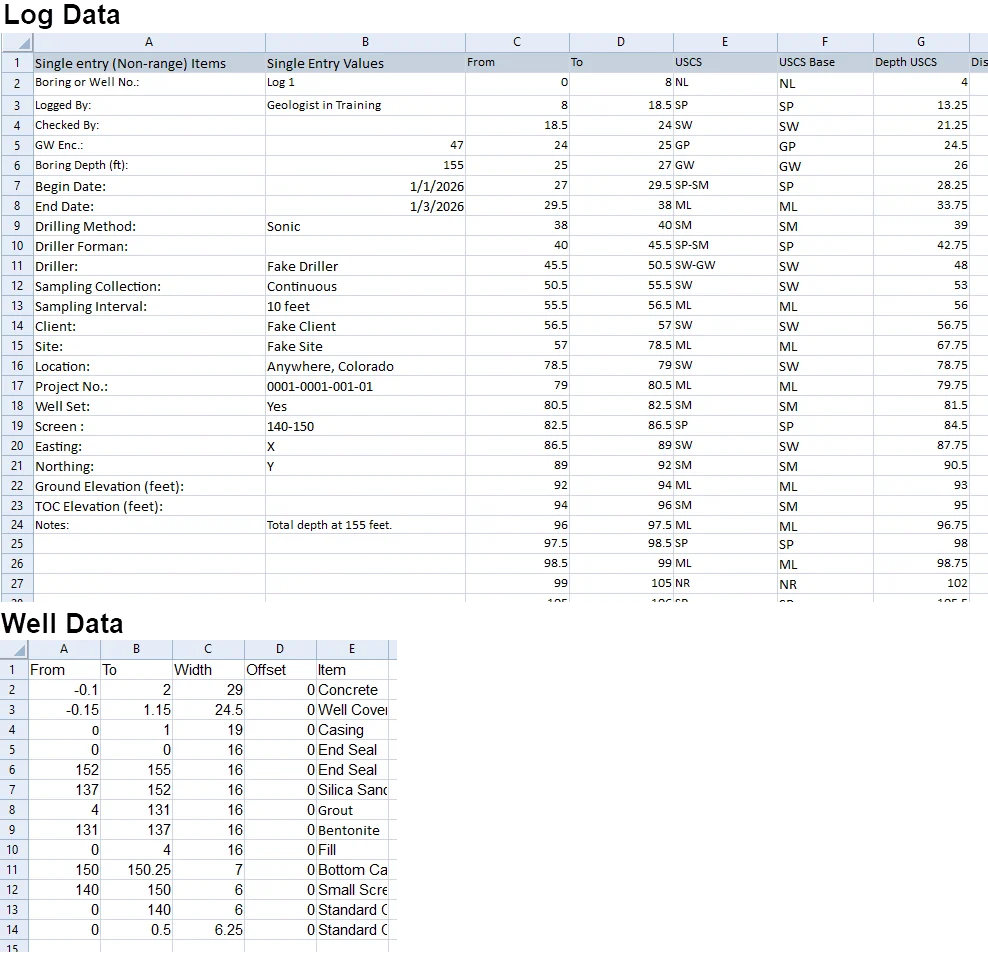
The worksheet data provided has several sheets of examples for reference and can be used to format your own data to then populate the template:
Dickson & Associates, LLC are environmental data experts with extensive experience in the in preparation and creation of forensic environmental databases, data models, environmental visualizations and So Much More!
Please see their website at DicksonAndAssocates.com for a summary of their history and experience. Be sure to explore their publicly available Microsoft Power BI interactive data models and the associated educational videos.
Industry Focus: Mining, Oil and Gas, Water Resources
Graph Features: Floating Bar, Line
Instructions
To use this template in Grapher:
- For the best experience, structure your data in the same format shown on this page or use the example files if provided above.
- Click Download Template at the top of this page to download a GRT template file.
- In Grapher, click File | Open and open the file.
- Click Template | Populate Template to load your own data into the template.
Primary Categories: Relational, Spatial
Industry Focuses: Mining, Oil and Gas, Water Resources
Type: Floating Bar, Line